As I was testing the ID11, I noticed differences in the thermal behavior based on how the case was positioned.
I tested three positions; case open, case vertical, and case horizontal.
This is the fifth post in a series of posts related to the Zotac ZBOX ZBOXHD-ID11.
Summary:
- Place the case in a vertical position for best cooling.
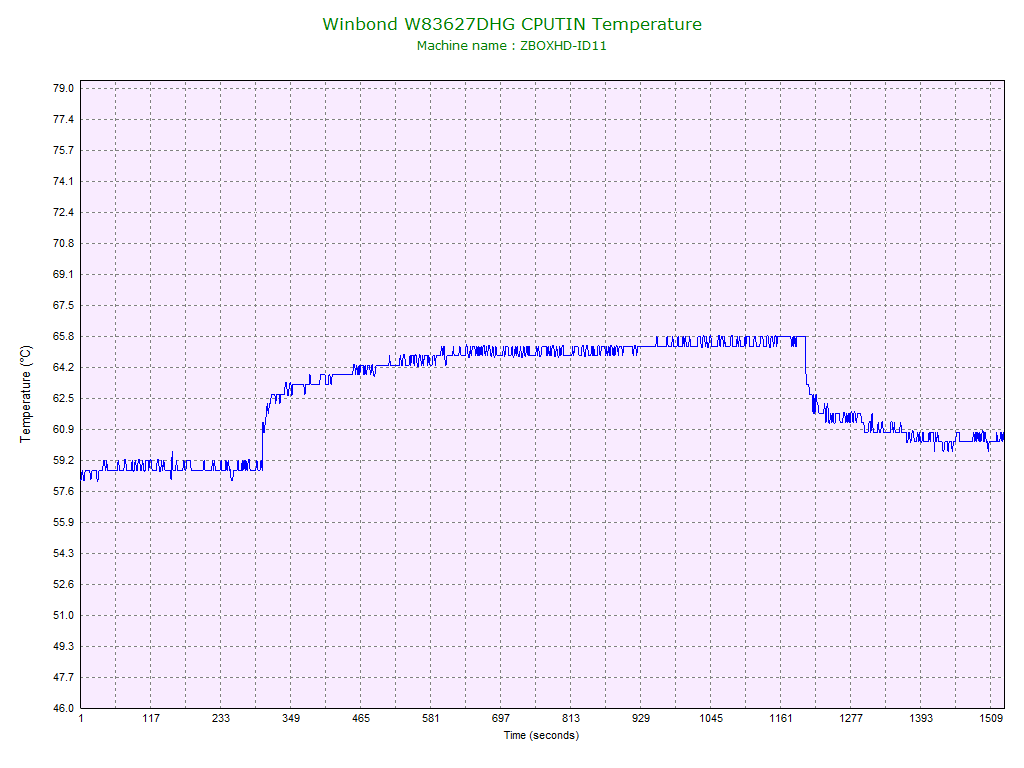
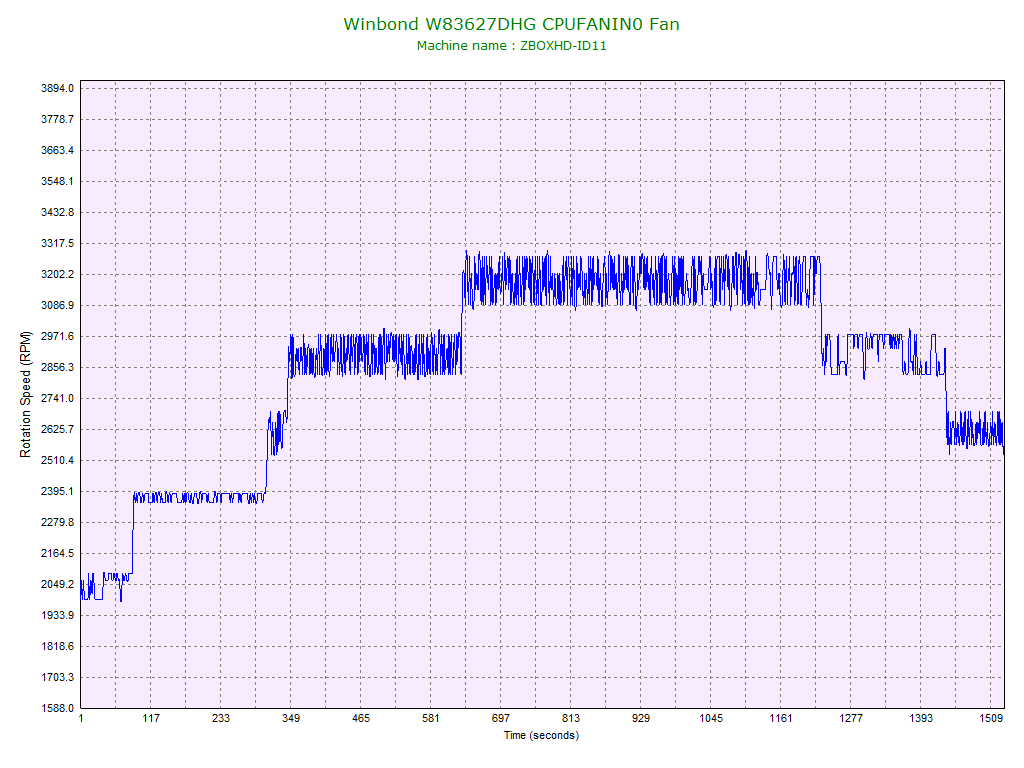
I used the Beta BIOS for testing. I let the system sit idle, placed it under load, then back to idle, while I recorded the fan speed and temperatures. The ambient temperature was 21C / 70F.
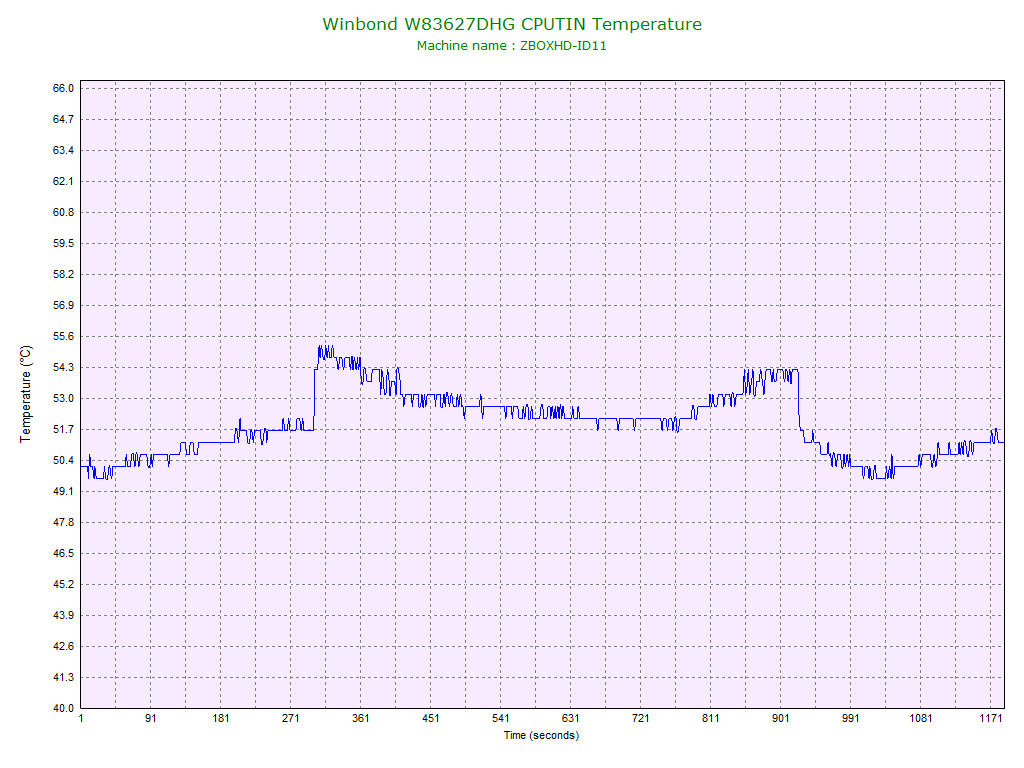
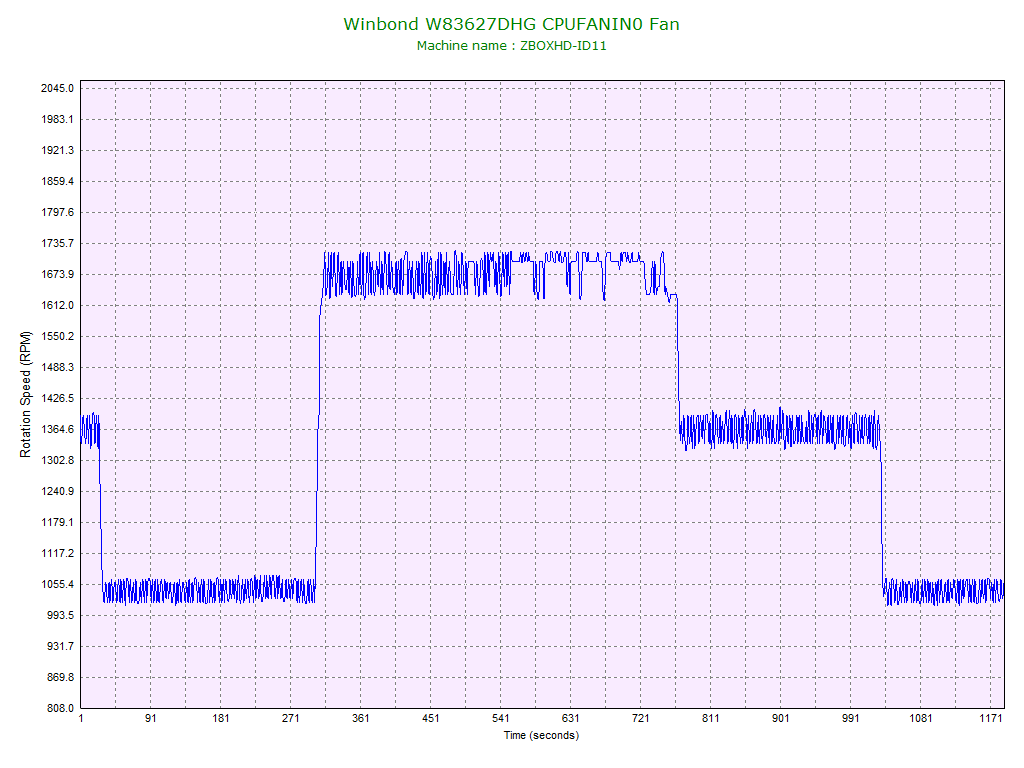
Below are the CPU temperature and fan speed graphs for an open case:
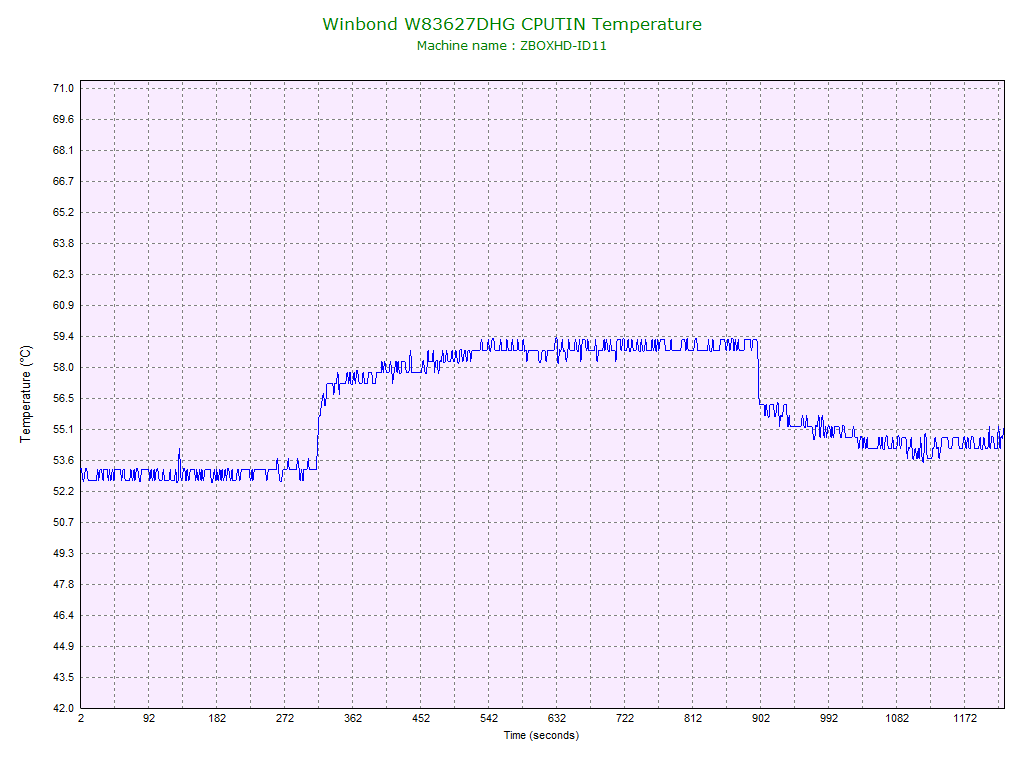
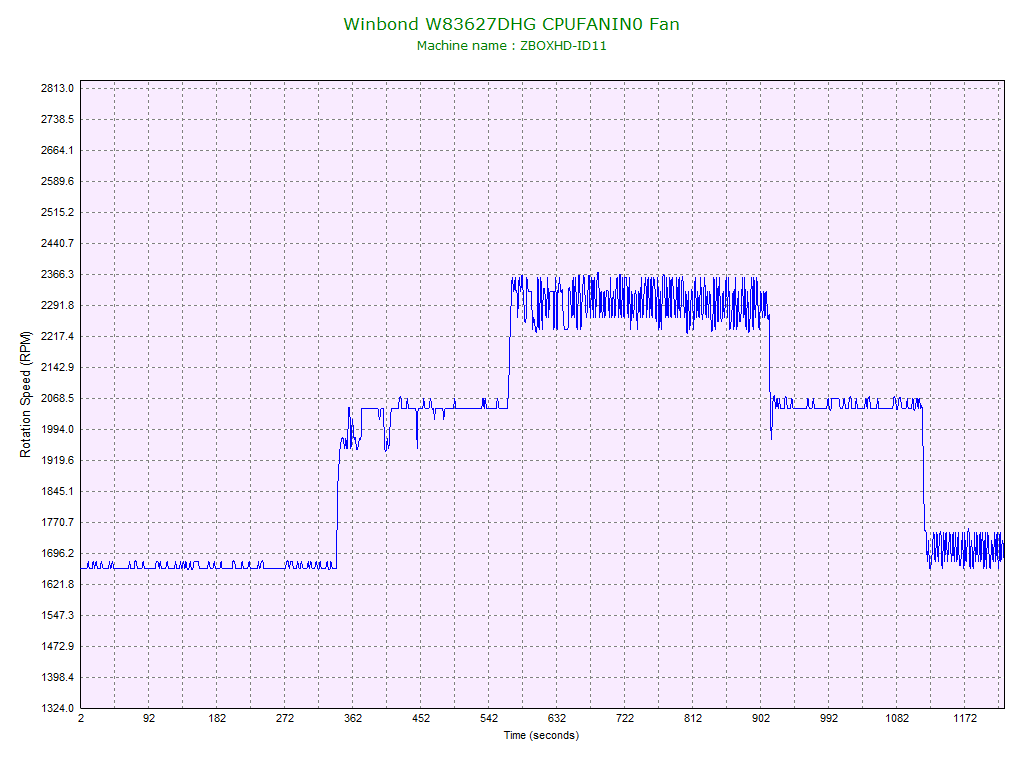
Below are the CPU temperature and fan speed graphs for a vertical case:
Below are the CPU temperature and fan speed graphs for a horizontal case:
Summary:
Case Placement
Max CPU Temp
Max Fan Speed
Open Lid55C1700RPMVertical59C2350RPMHorizontal66C3300RPM
From the data we can see that the fan does not appear to have sufficient ventilation, and that in the horizontal position the air flow appears to be severely restricted.
I am tempted to mod the case to allow for better airflow, maybe cut a larger opening for the intake, or replace the centrifugal blower fan with a conventional fan, something like the Scythe KAZE JYU SLIM.